
TL;DR
Smart home devices can help couples coordinate chores, lighting, temperature, shopping lists, and home security. Start with one shared routine, give each partner their own access, agree on privacy settings, and check what still works when Wi-Fi or power fails.
At 10:30 p.m., one of you is already under the covers when the other asks, “Did we lock the front door?” A smart lock can settle the question in seconds. It can also create a new one: who gets access, and what happens if the Wi-Fi drops?

Get decor and gifts delivered free with Prime
- Fast, free delivery on millions of items
- Prime Video, Amazon Music and more included
- Member-only deals all year
Smart home devices for couples work best when they solve small, recurring problems both people recognize. A shared speaker can keep the grocery list, lights can ease the bedtime shuffle, and a thermostat can help with chilly mornings. The right setup can make life together more convenient without turning your home into a maze of apps and alerts.
This guide covers which devices tend to help, how to share control, and what to discuss before adding cameras, location features, or locks. You’ll also find a simple way to compare options and set up a routine you can both change. The aim is a home that feels comfortable to both of you, even when your habits differ.
Begin with one shared annoyance, such as forgotten lights or grocery items, and solve that before adding more devices.
Check for separate user access so each partner can control devices without sharing a password.
Agree on camera placement, recording settings, notification rules, and location sharing before enabling monitoring features.
Test manual controls and backup access for locks, lights, and thermostats in case Wi-Fi or power fails.
Choose automations that either partner can understand, change, or override.
Start with one routine you both want to make easier
Smart home devices for couples are most useful when they simplify a task you already share. Pick one recurring annoyance, such as forgetting the porch light or keeping track of groceries, and choose a device that addresses it. A clear need makes it easier to judge whether the device earns its place: you can compare the time or friction it removes with the new app, maintenance, and decisions it adds.
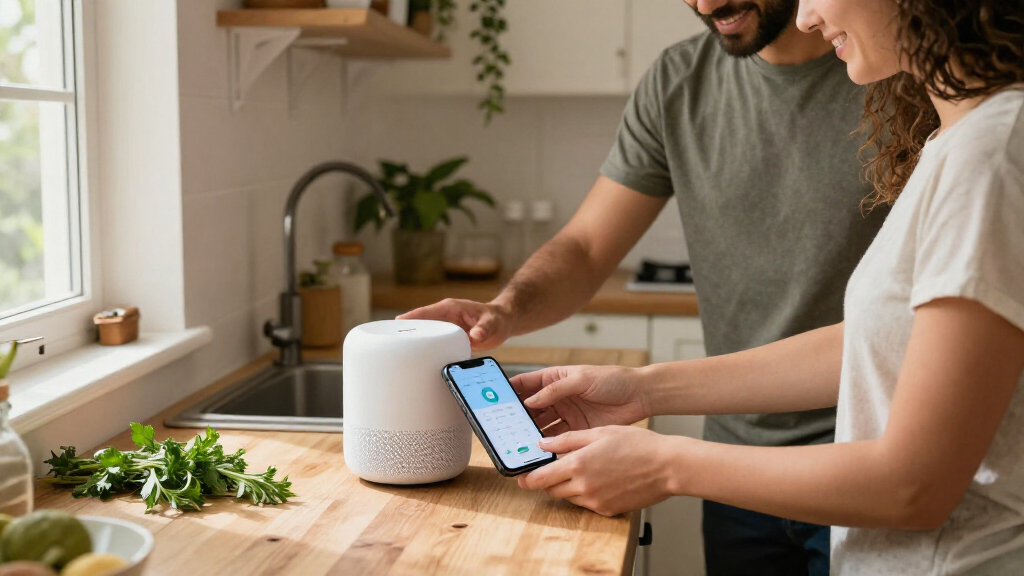
Try a shared smart speaker for timers, reminders, music, and a grocery list. If one of you notices the last carton of milk is empty while making coffee, a voice reminder can add it to the list without finding a phone. That convenience depends on both people being able to use the list and agree on where it lives; otherwise it can become one partner’s system that the other forgets to check. Smart lighting can help too: a dim, warm evening scene is easier on the eyes than bright overhead bulbs when you’re settling in for the night, though a physical switch should remain usable for anyone who doesn’t want to open an app.
For a first project, agree on the routine before you shop. Decide who can change it, when it should run, and how either person can override it. A bedtime scene might turn off the living room lights at 11 p.m., while leaving a physical switch easy to reach if one of you is still reading. These small choices matter because automation turns a preference into a repeated action: a schedule that suits one person can otherwise inconvenience the other every night.
Keep the first setup modest. One speaker or a few bulbs lets you learn how the app behaves before you add locks, cameras, or a dozen connected appliances. Each added device brings another account, update, setting, and possible failure point. Expand when the first routine has proved useful to both people, rather than assuming more connectivity will automatically make the home easier to manage.
Popular right now

Shark Pet Cordless Stick Vacuum, Up to 40-Minute Runtime, Lightweight, IX141

Ninja Crispi Microwave and Air Fryer with FusionCrisp, Silver, MW101

Philips 3300 Series Fully Automatic Espresso Machine with LatteGo
As an affiliate, we earn on qualifying purchases.
Choose devices that give both partners a comfortable level of control
Shared devices are easier to live with when both partners can use them from their own phones and accounts. Before buying, check whether the app supports separate users, what each user can change, and whether both people can receive alerts. Sharing one password may seem simple at first, but it makes access harder to manage later: changing the password can lock out a partner, and it may be difficult to tell whose action or device generated a setting change.
Imagine one partner leaves for work early while the other works from home. Separate access means each can adjust the thermostat or control the lights without asking the other to hand over a phone. For a smart lock, separate accounts or individual codes can also show which code was used, if the product offers that history. The extra visibility can help resolve practical questions, such as whether a guest code was used, but it also creates an access record that both people should understand and agree is appropriate.
Compatibility matters just as much. Check that the device supports both partners’ phones, your Wi-Fi setup, and the smart home platform you plan to use. The Matter standard is designed to help compatible devices work across major ecosystems, but support can vary by model and feature. A light might pair with multiple platforms while a specific automation or alert only works in one. This means a compatibility label can reduce the risk of being locked into one system without removing the need to verify the features you actually depend on.
Compare the everyday details: whether each person can control the device remotely, change schedules, and use it if the voice assistant is unavailable. A device with many features may still be a poor shared choice if one partner cannot access the controls or if basic operation depends on a service that often fails. These checks help prevent the awkward moment when one person can switch off the lights and the other can only watch.
| Device | Shared benefit | Check before you buy |
|---|---|---|
| Smart speaker | Timers, music, lists, reminders | Separate profiles and voice recording controls |
| Smart thermostat | Shared schedules and remote adjustments | Manual controls and presence settings |
| Smart lock | Remote entry and temporary guest codes | Separate access and backup entry |
| Video doorbell | Delivery alerts and front-door visibility | Who can view recordings and how long they stay |
Key fact: cross-brand compatibility helps, but it does not mean every feature travels with the device. Check the exact functions you want in the platform both of you will use.
Set privacy rules before cameras, microphones, and location features
Privacy rules should come before setup whenever a device can capture speech, images, or movement. Agree on what a device collects, who can access that data, and where it is stored. This conversation is especially useful for indoor cameras, video doorbells, smart speakers, and presence sensors, because their convenience comes from collecting information about activity at home. The more sensitive the data or the more private the room, the more carefully you should weigh whether the feature is worth having.
A couple installing a video doorbell might agree to record the front step, disable indoor motion zones, and send delivery alerts to both phones. Another couple may decide they don’t need a camera at all and use a basic door sensor instead. A camera can show what happened at the door, while a sensor may reveal less but cannot provide the same visual context. There is no single right choice; both people should understand the tradeoffs and feel comfortable with the placement.
Review recording controls, data retention, account access, and two-factor authentication. Find out whether recordings stay on a local device or upload to a cloud service, and whether key features require a paid subscription. Local storage can reduce reliance on a cloud account but may be less useful if the device is damaged or stolen; cloud storage can make footage easier to retrieve remotely while creating another account and service to secure. Voice assistants may offer controls for saving or deleting recordings, and user recognition may be optional, but the settings differ by product.
Location tracking needs clear agreement. Presence-aware heating can save effort by lowering the thermostat when everyone leaves, but it can also reveal who is home and when. That information can influence how safe or private each person feels, even if the feature was introduced only to adjust the temperature. Don’t use tracking features to monitor a partner without their knowledge. Give each person a way to pause location sharing or override an automation without a dispute, and consider whether a fixed schedule would provide enough convenience with less location data.
A useful household rule: both people know what a device monitors, who can see it, and how to turn it off.
Build automations you can both understand and override
A shared automation should be predictable, easy to explain, and easy to stop. If a routine surprises either partner or keeps undoing a manual change, it needs adjustment. An automation saves effort only when its trigger matches what is actually happening at home; a clever rule that misreads the situation can create more interruptions than it removes. Start with one trigger and one result, then watch how it works during an ordinary week.
- Name the recurring task. For example, you both forget to switch off the hallway light before bed. Being specific helps you avoid automating a broader task than you intended.
- Agree on the trigger. Choose a set time or a manual button instead of assuming a motion sensor will know when everyone is finished. A fixed trigger is predictable but may not fit unusual evenings; motion can adapt, but may turn the light off while someone is still there.
- Set the action. Turn off the hallway light at 11 p.m., while leaving bedroom lights alone. A narrow action limits the cost of a mistaken trigger.
- Keep a simple override. Use the wall switch or app to restore the light if someone is still moving around. An override makes the routine easier to trust because the person affected can respond immediately.
- Review after a week. If the schedule clashes with late work or guests, change the time or pause it. The first version is a trial, not a rule either partner has to tolerate indefinitely.
For example, a thermostat can lower the heat on weekday mornings, but a fixed schedule may not fit a day off. Let either person adjust it from the thermostat itself, not just an app. Physical switches and clear controls matter when a phone is charging in another room or the internet is down; they also make the system usable for visitors who were never taught the app.
Presence automations need extra care. A system may mistake a phone left at home for a person who is home, or fail to detect someone whose battery died. Treat those features as a convenience, not a reliable record of who is where. If an incorrect presence reading could leave a home uncomfortable or create conflict, use a schedule or manual control for that decision instead.
Budget for the full cost and plan for outages
The sticker price is only part of a smart device’s cost. Add any hub, subscription, batteries, installation, and likely replacement costs before deciding whether a feature is worth paying for. A low-cost camera can become less appealing if saved video requires a monthly plan. Subscription costs also affect the long-term choice: if the service is discontinued or you stop paying, some features may disappear even though the hardware still works.
Consider a smart thermostat: a shared schedule may make heating easier to manage, and some occupancy features may reduce heating or cooling when the home is empty. Actual savings depend on your home, energy rates, weather, and settings, so don’t count on a specific amount without evidence for your situation. You might get more value from lowering the temperature a little overnight than from buying several extra sensors. The useful comparison is the likely benefit against both the upfront cost and the ongoing effort of maintaining the setup.
Reliability also has a price in convenience. Devices may depend on Wi-Fi, cloud services, a working app, and sometimes an account or subscription. Before relying on a smart lock, check whether the keypad or physical key still works during an internet outage. Keep a spare key or agree on another backup way in, especially if both partners arrive home separately. A backup matters most when it works independently of the same connection or account that just failed.
Ask what happens when something fails. Can you turn the light on at the wall? Can you adjust the thermostat by hand? Does a doorbell still ring indoors? Those practical details can matter more than a long list of app features, particularly during a power cut or a router failure. Testing the fallback before you need it reveals whether a device is merely inconvenient offline or whether it could prevent access to something essential.
Make different comfort preferences part of the setup
Smart devices can help couples manage different preferences, but a single shared setting won’t always suit everyone. A thermostat schedule, adjustable lights, or separate speaker profiles can give each person a little room without creating a constant negotiation. The useful question is which differences a device can solve simply. If the device adds more rules and maintenance than the disagreement itself, a non-smart solution may work better.
Suppose one partner likes a cool bedroom and the other prefers warmth. Rather than letting an occupancy sensor guess, you could set the thermostat for shared rooms and use separate blankets or a small personal fan in the bedroom. That keeps the common setting from becoming a nightly contest while giving each person a direct way to adjust their own comfort. For lighting, two lamps on smart plugs may work better than changing the overhead brightness throughout the home.
Shared calendars and kitchen displays can also help when schedules diverge. One person can add an early appointment, while the other can see it when planning breakfast. Keep personal calendars private if needed, and share only the details that help coordinate household tasks. Smart displays can make grocery lists visible, but a paper list on the fridge remains a good fallback. A shared screen is convenient when both people check it, though it can expose more personal schedule information than a list limited to household tasks.
Accessibility and ease of use count. A voice command may help when your hands are full, while a large physical button can be easier when speech control is awkward. Choose controls both people will actually use. Providing more than one way to operate a device can make it more resilient too: if voice recognition fails or a phone is unavailable, a physical control still works. A routine that fits your real habits can make life together more convenient; a fussy routine just adds another household chore.
Frequently Asked Questions
Which smart home devices are most useful for couples?
Shared speakers, smart lighting, thermostats, and connected displays often help with everyday coordination. A speaker can manage timers and lists, while lighting and thermostat schedules can simplify routines. Choose based on a task you both want to make easier.
Can two people control the same smart devices from separate phones?
Many products let an owner invite other household members, but the permissions vary. Check whether both users can change settings, receive alerts, and control the device remotely. Separate accounts make it easier to manage access than sharing one password.
Do Matter devices work with every smart home system?
Matter is designed to help compatible devices work across major smart home platforms. Support can vary by device, platform, and feature, so a Matter label does not guarantee every function works everywhere. Check the specific controls and automations you plan to use.
What should couples check before installing an indoor camera?
Agree on its location, who can view the feed, whether it records continuously or only on events, and how long recordings are kept. Review whether storage is local or cloud based and turn on account protections such as two-factor authentication when available. Both partners should know when the camera is active.
What happens to smart devices if the internet goes down?
It depends on the model. Some devices keep basic local controls, while remote access, voice assistants, or cloud automations may stop working. Test a light’s wall switch and a lock’s keypad or physical key before relying on connected controls.
Conclusion
Choose a device because it solves a shared problem, then set it up so both partners can use it, question it, and switch it off. Start with a speaker, a light, or a simple thermostat schedule; leave cameras and location features until you’ve agreed on the rules.
A good smart home should feel like a lamp you can reach from bed: quietly helpful, easy to control, and never a mystery glowing in the corner.